THE PROBLEM
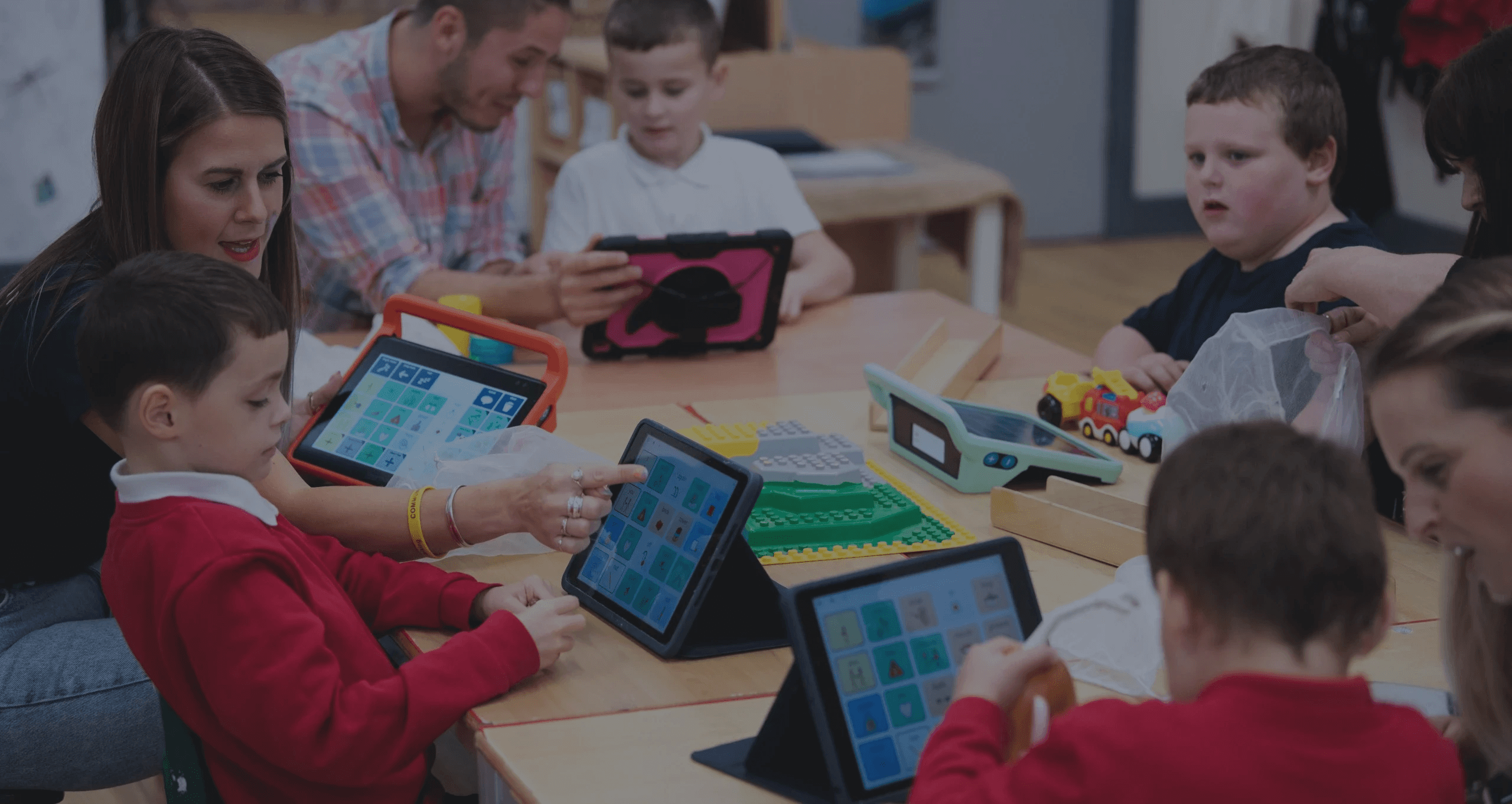
Many young people with speech and communication barriers, such as those with disabilities, struggle to express themselves due to limited access to effective tools. AAC tools are proven to have the potential to be beneficial, however existing tools are not always sufficient. Without accessible and intuitive technology, these individuals often face obstacles in daily communication, social participation, and self-expression. Designing tools that address these challenges can help give them a voice, foster independence, and support their confidence and growth.
33-50% of minimally verbal children could benefit from augmentative and alternative communication (AAC) intervention…
THE SOLUTION
An intuitive AAC app that allows users to communicate with emotion, clarity, and confidence.
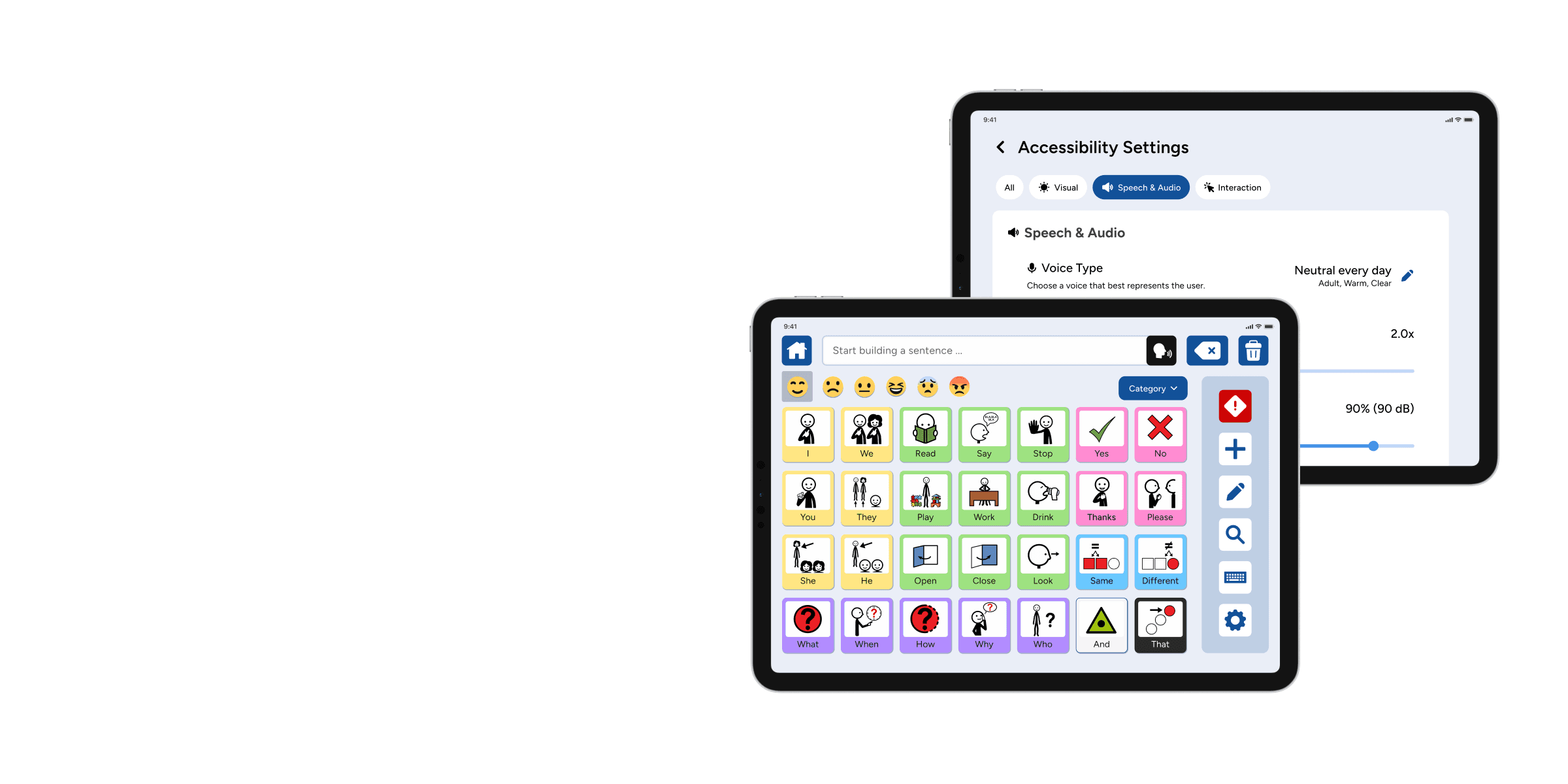
This tablet-based AAC app helps neurodiverse students communicate more fully by combining icon-based selections with expressive tone, mood, and customization options. Users can convey not just words, but also feelings and intent, supporting authentic self-expression, social interaction, and confidence-building.
SECONDARY RESEARCH: COMPETITIVE ANALYSIS
Where other AAC solutions fall short.
We conducted a competitive analysis to identify opportunities and gaps in existing AAC tools. Since the organization already had extensive user research that we couldn’t access, we relied on the organization's guidance and secondary research to guide our analysis and inform our personas and user journeys.
Identifying the strengths and weaknesses of other apps …
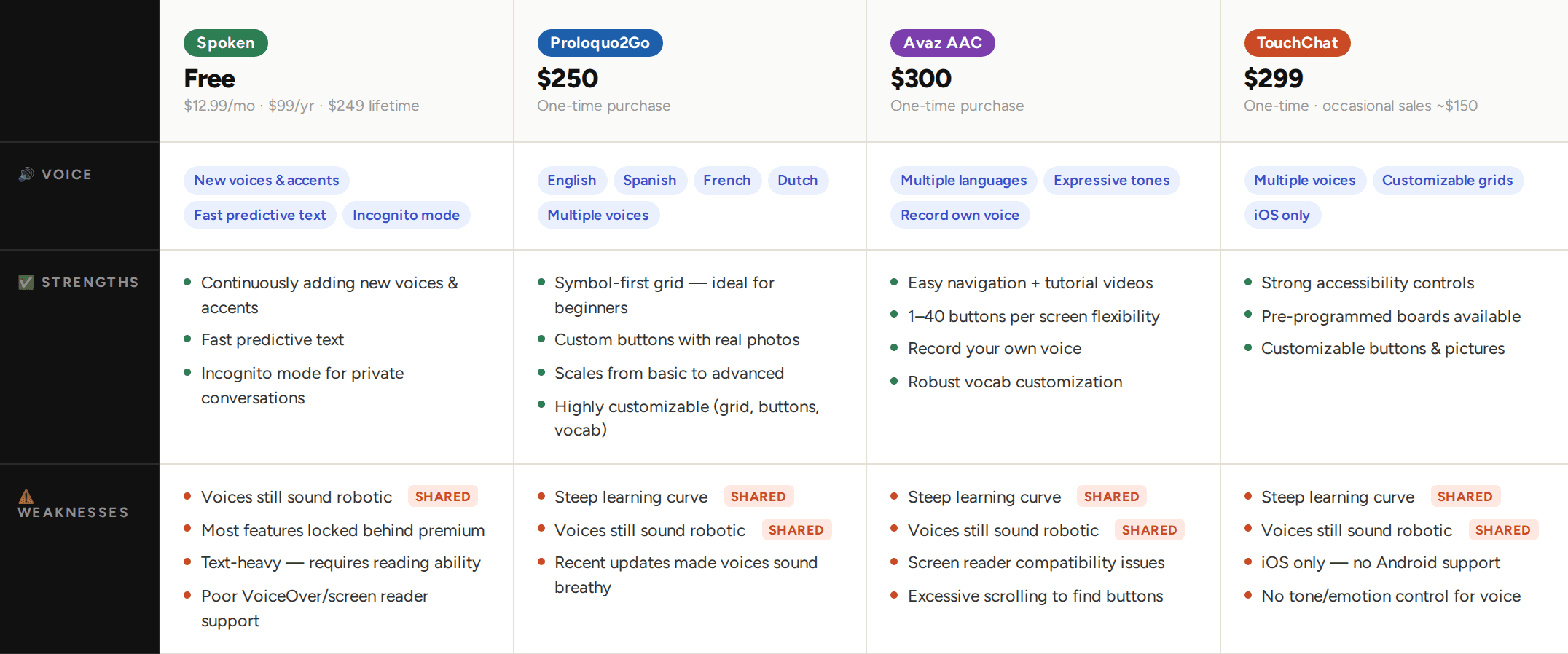
… and figuring out where our solution can bridge the gap.
Competitors
High cost
Limited customization + robotic voices
Outdated UI, steep learning curve
VS.
DesiHeart
Free subscription
Expressive voices & personalization
Tablet-first, intuitive & simple UI
designed for everyday use
SECONDARY RESEARCH: LITERATURE REVIEW
Understanding AAC conventions.
Alongside the competitive analysis, I conducted secondary research into established AAC design conventions and best practices — symbol grid structures, vocabulary frameworks, and accessibility standards for users with varying motor abilities. Since the nonprofit's existing user research was confidential, this gave our team a principled foundation to design from, even without firsthand user data.
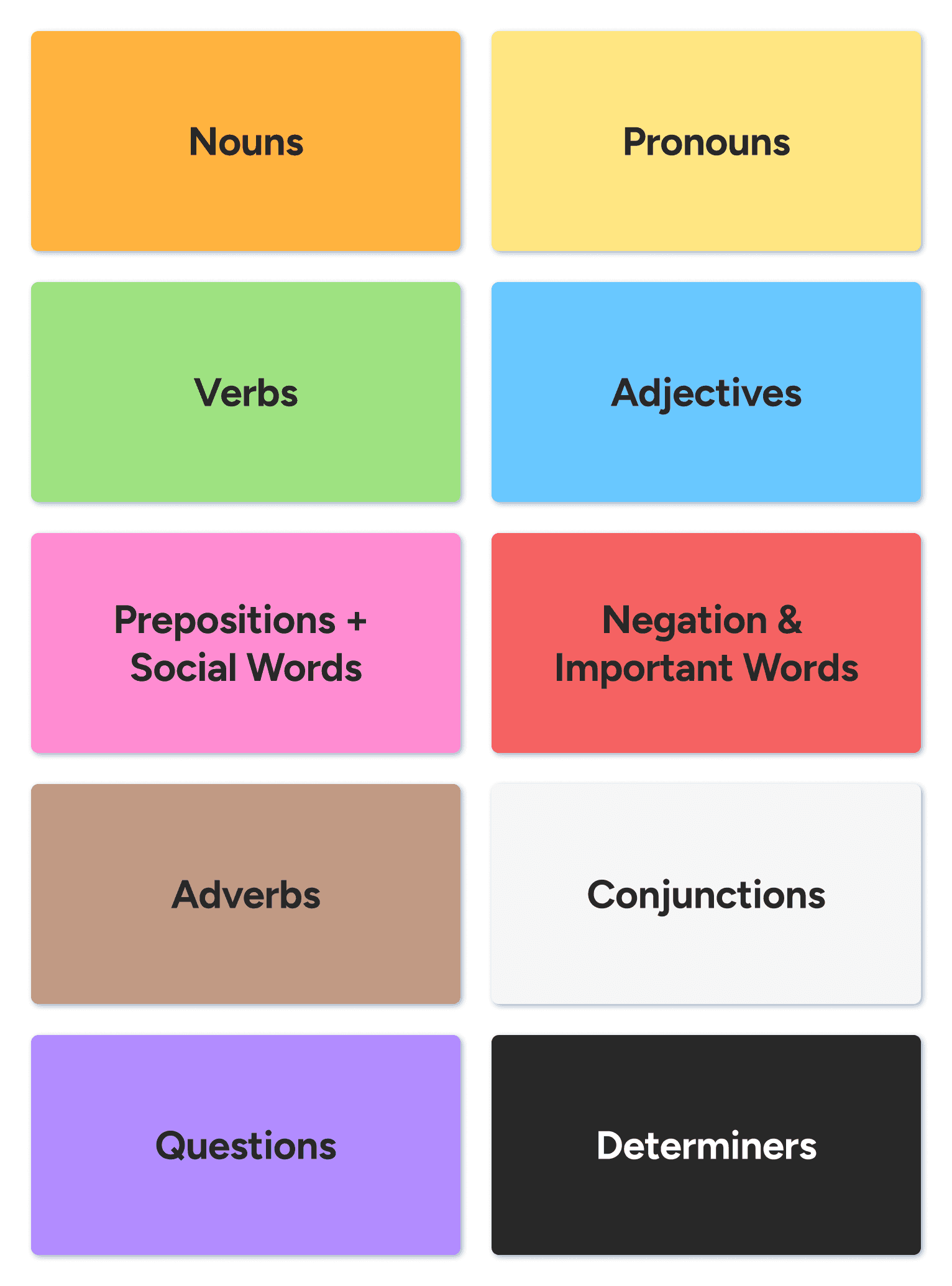
Fitzgerald Color Coding
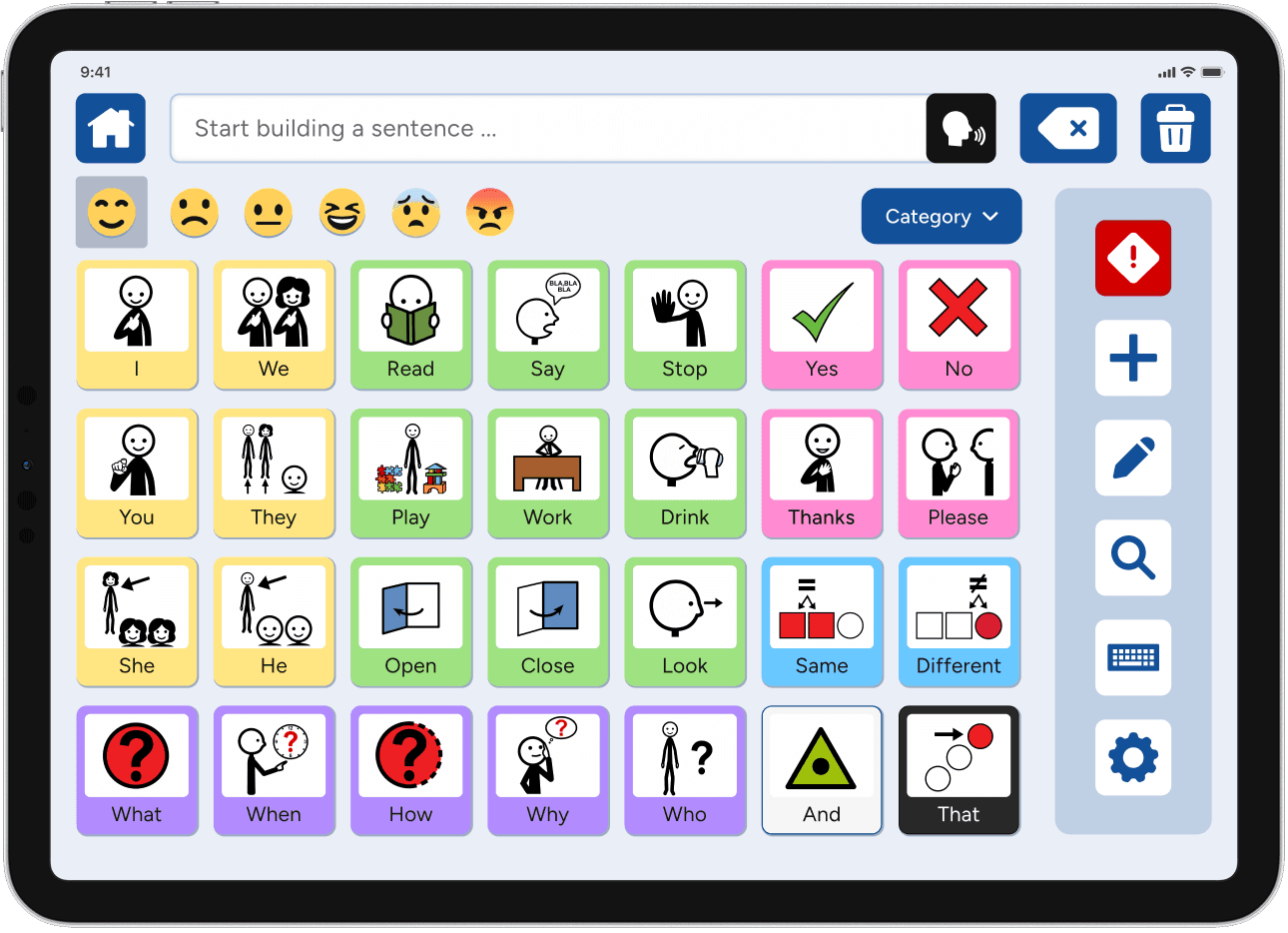
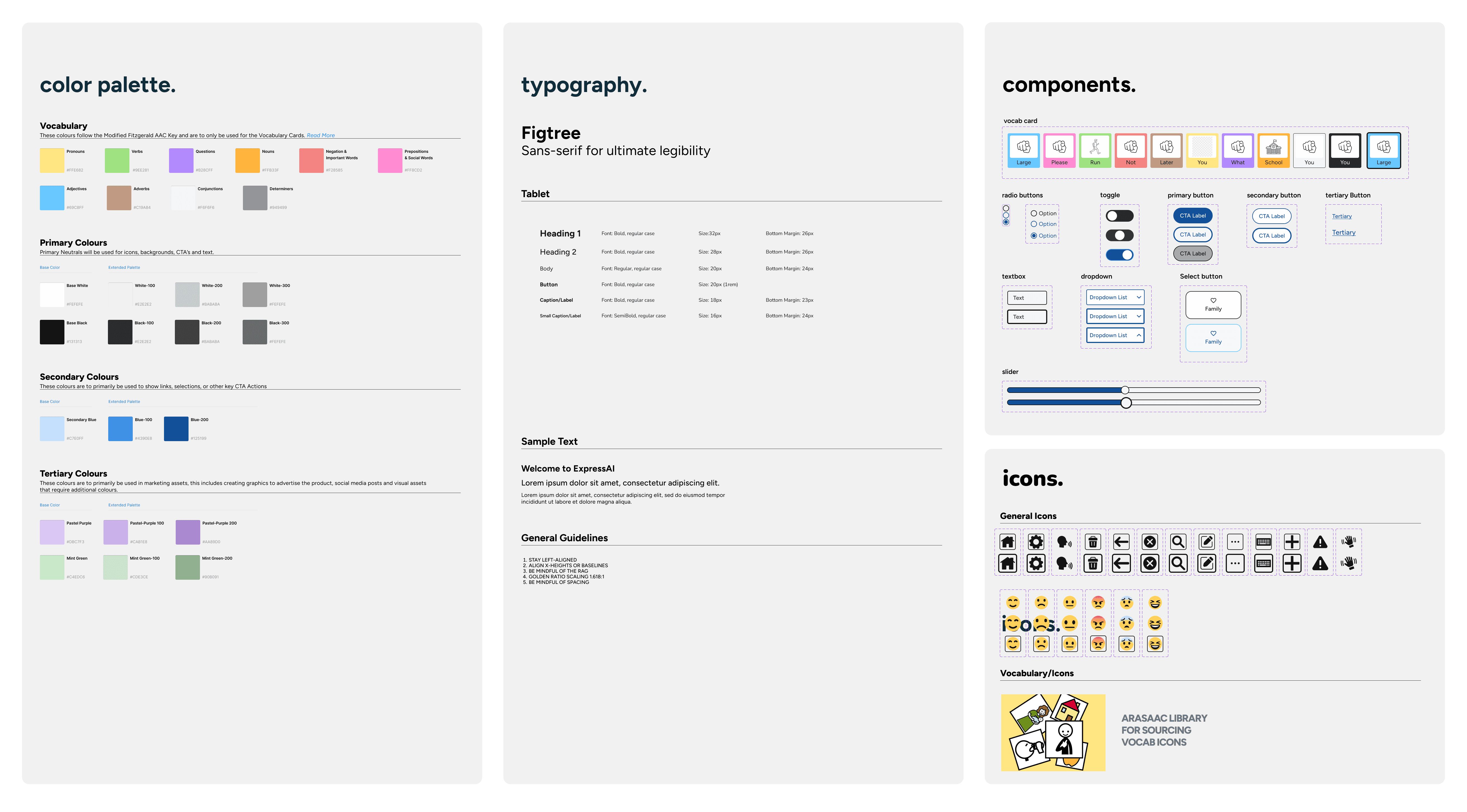
A key finding from our literature review was the widespread use of the Fitzgerald Key in AAC design, a color-coding system that assigns distinct colors to different parts of speech, helping users locate vocabulary faster and supporting language development.
Backed by decades of AAC research and speech-language pathology practice, it was a natural foundation for our dashboard, reducing cognitive load while keeping the experience familiar and trustworthy for users and caregivers alike.
Vocabulary Organization
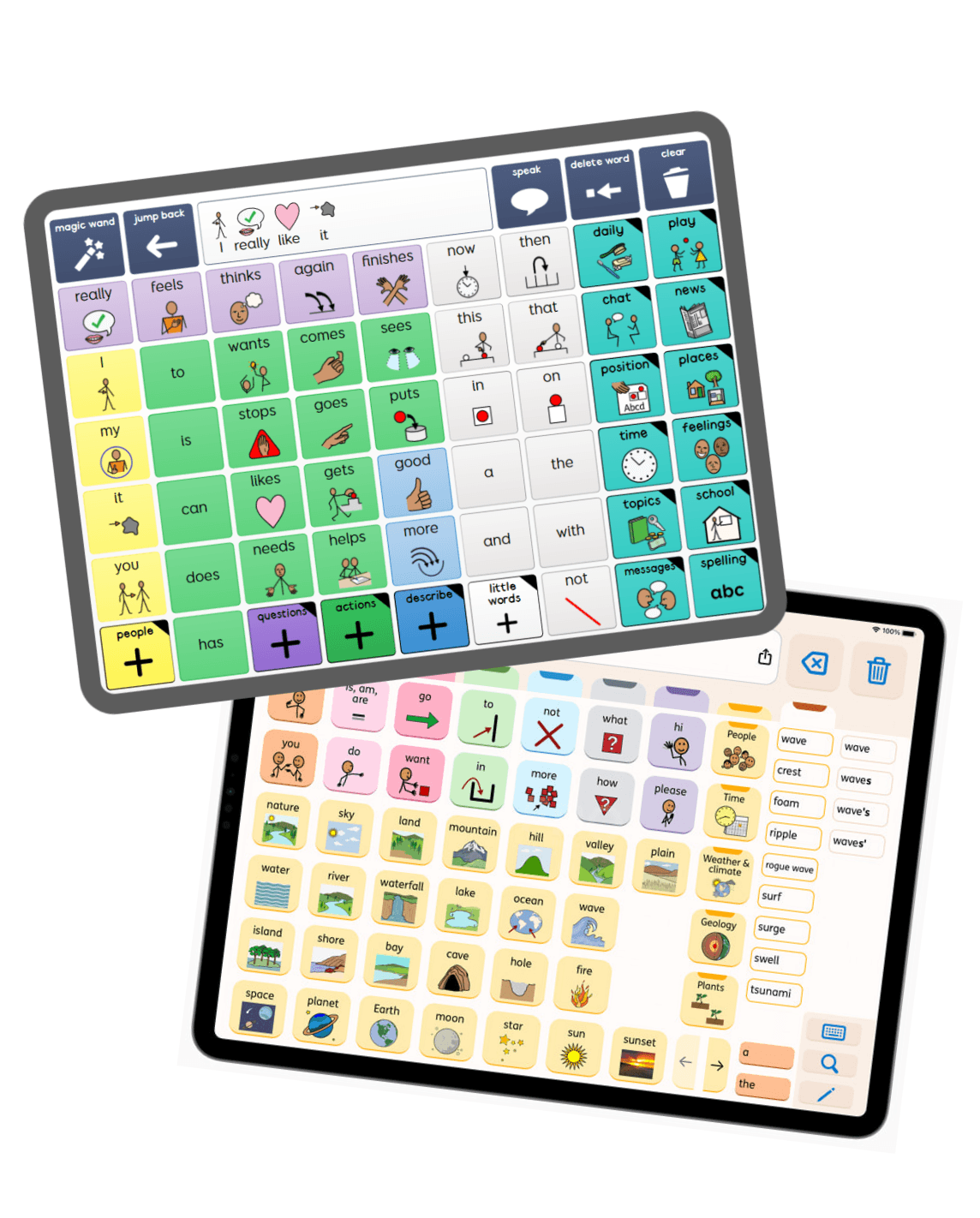
AAC research supports organizing dashboard vocabulary using a core and fringe model, where high-frequency words occupy the most accessible grid positions and context-specific vocabulary lives in secondary categories.
We followed this convention in our default layout and took it further with two planned AI-supported features:
AI-Driven Personalization
Learns the most frequently used words over time and automatically customizes their dashboard layout.
Predictive Vocabulary
Dynamically shifts the board in real time as a user selects buttons, surfacing the most likely next word.
Together, these features can move DesiHeart well beyond the static layouts found across the current AAC market.
USER JOURNEYS & USER FLOWS
From personas to pathways.
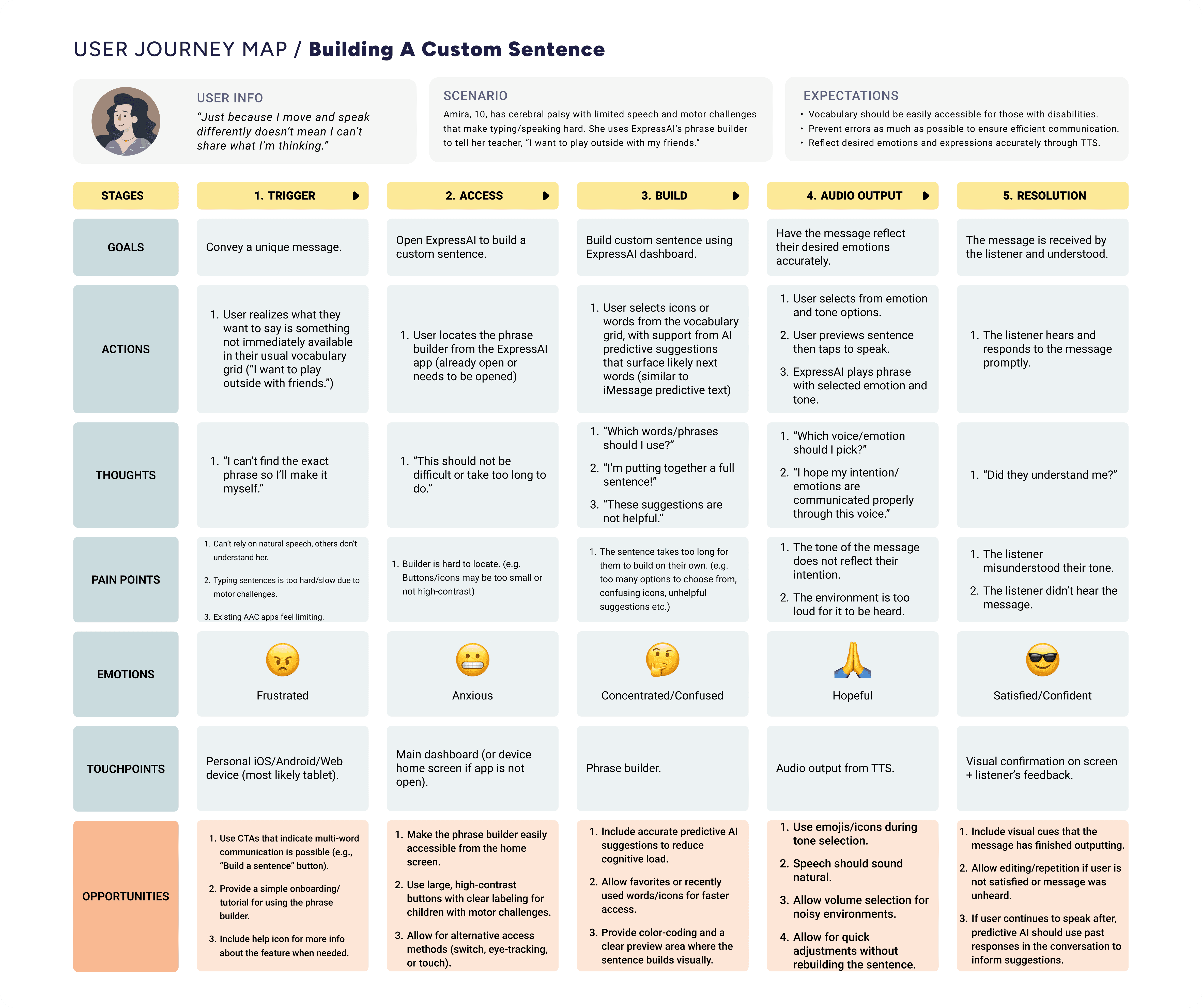
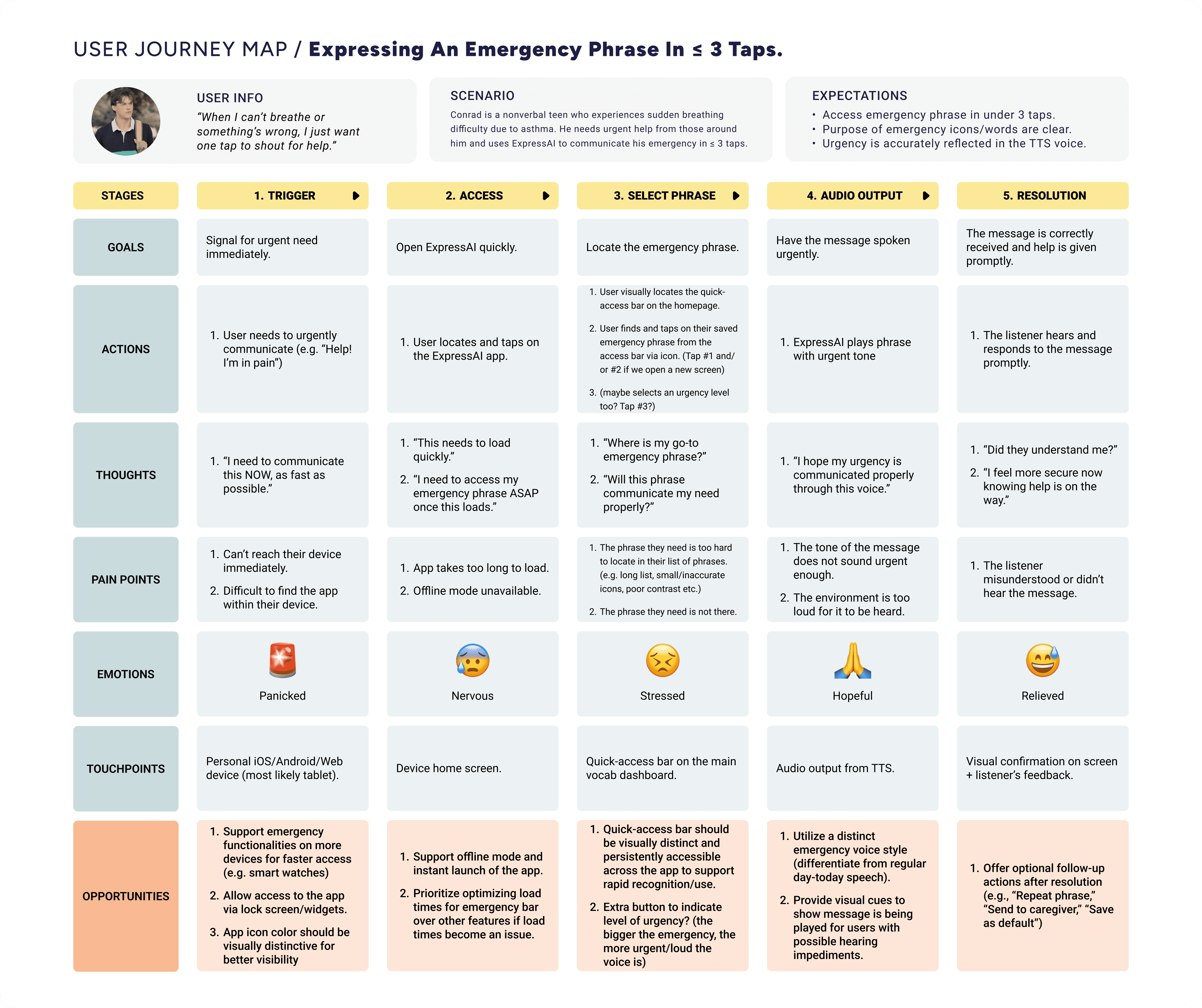
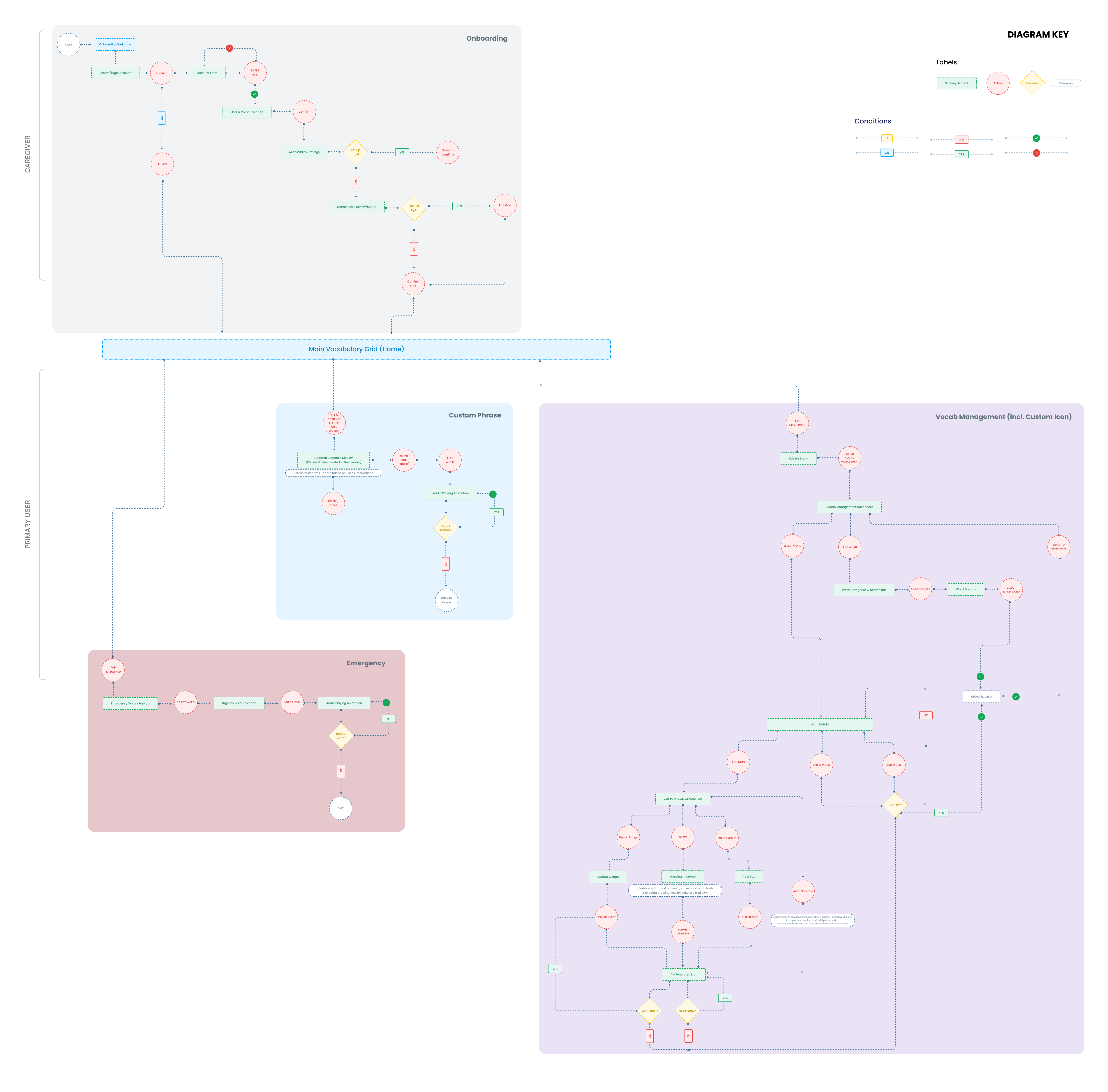
Personas were developed collaboratively with direction from DesiHeart. Using these alongside the product requirements and secondary research, I built journey maps and user flow diagrams for both primary users (nonverbal students) and secondary users (caregivers and teachers).
Journey maps surfaced key emotional friction points — frustration finding words quickly, the invisibility of not conveying tone, and the setup burden on caregivers. User flows then translated these insights into concrete interaction logic, bridging empathy and execution.
DESIGN
Designing a dashboard for fast, accessible, and customizable expression.
Working in Figma across multiple sprints, we produced a hi-fi prototype focused on four core flows: the main dashboard & sentence builder, dashboard customization, emergency communication, and personalized accessibility settings.
Accessibility considerations.
Because accessibility is at the heart of our app, we followed WCAG guidelines throughout the design to ensure our app is usable by a variety of disabilities.
Sufficient color contrast
Large touch targets
Visible focus states
Robust accessibility settings
Visual direction & design system.
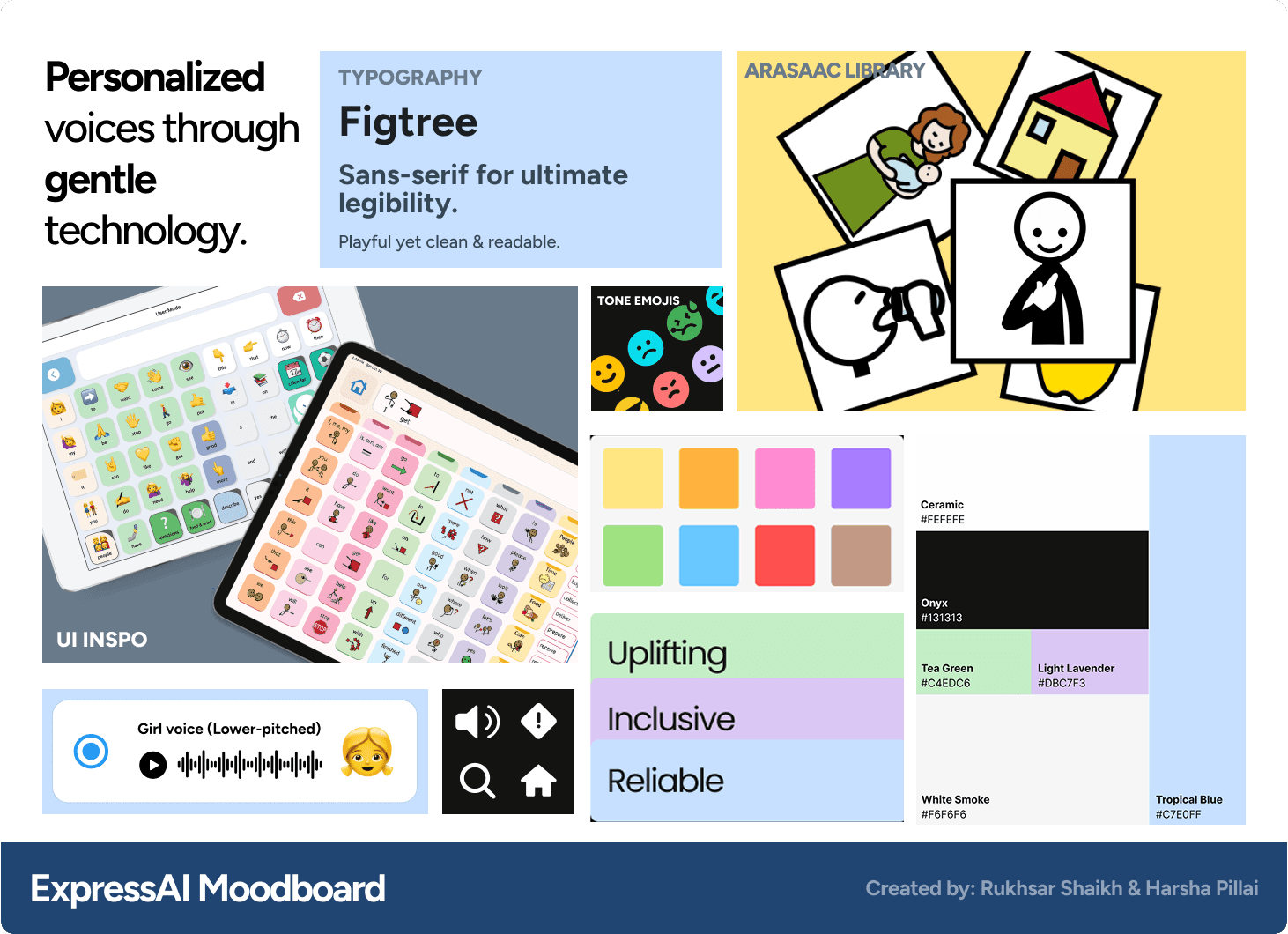
Before moving into high-fidelity screens, I co-developed a moodboard that became the foundation of our entire design system — guiding every color, typography, and iconography decision throughout the project. The direction was playful but grounded — soft, warm tones with strong contrast for accessibility, and rounded typography that feels friendly without being juvenile.
For iconography, we chose the ARASAAC symbol library for two reasons:
Familiarity — one of the most widely adopted open-source AAC symbol sets, meaning users may already recognize the icons from other tools.
Practicality — a ready-made, well-documented resource that developers could implement directly, eliminating the need to build a custom icon library from scratch.
FEATURE #1:
An informed dashboard focused on expression.
A symbol grid paired with a sentence construction area and emotional tone selector. Designed for speed and expressiveness with minimal taps, guided by high-contrast visuals and reduced cognitive load.
FEATURE #2
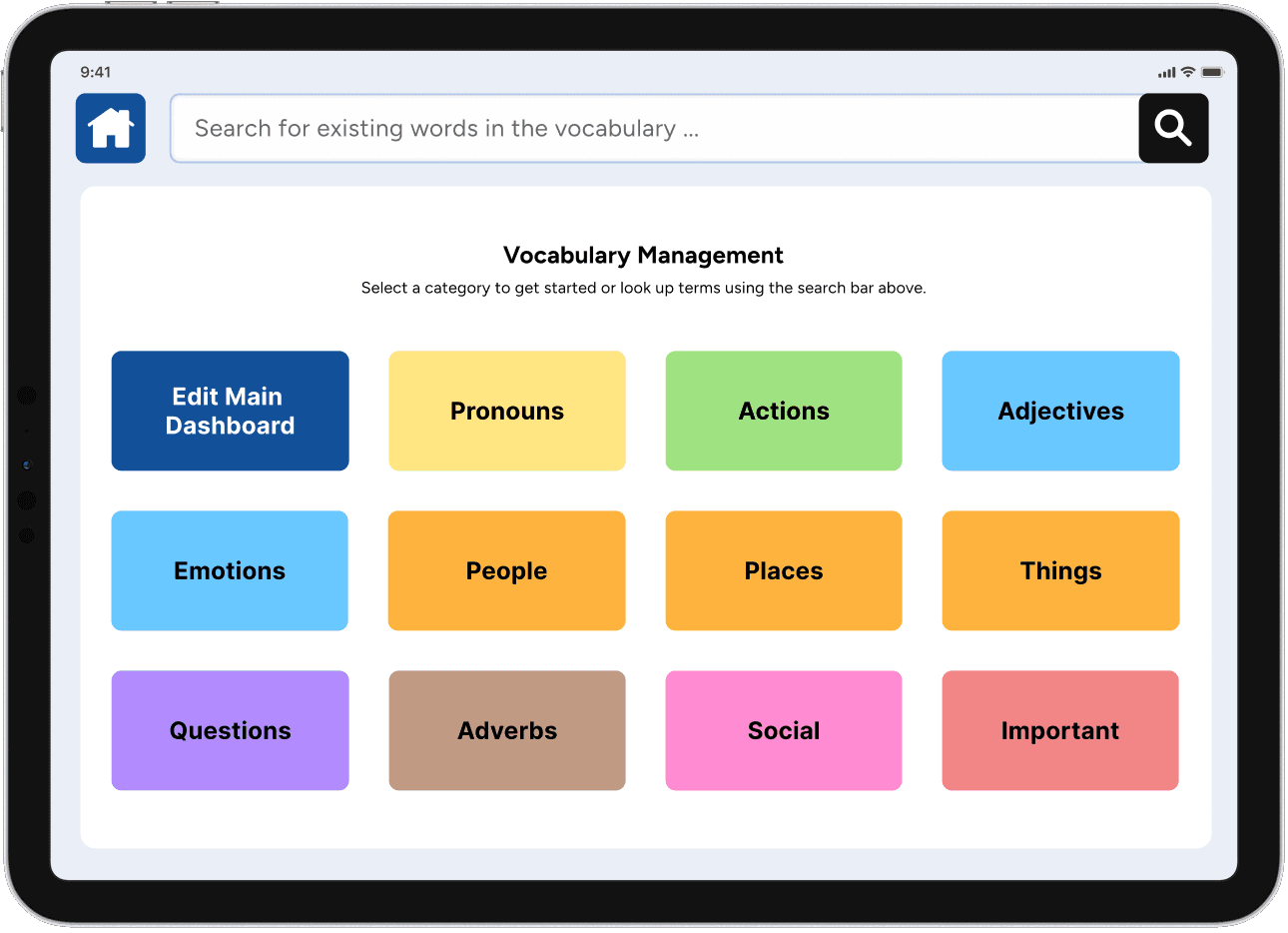
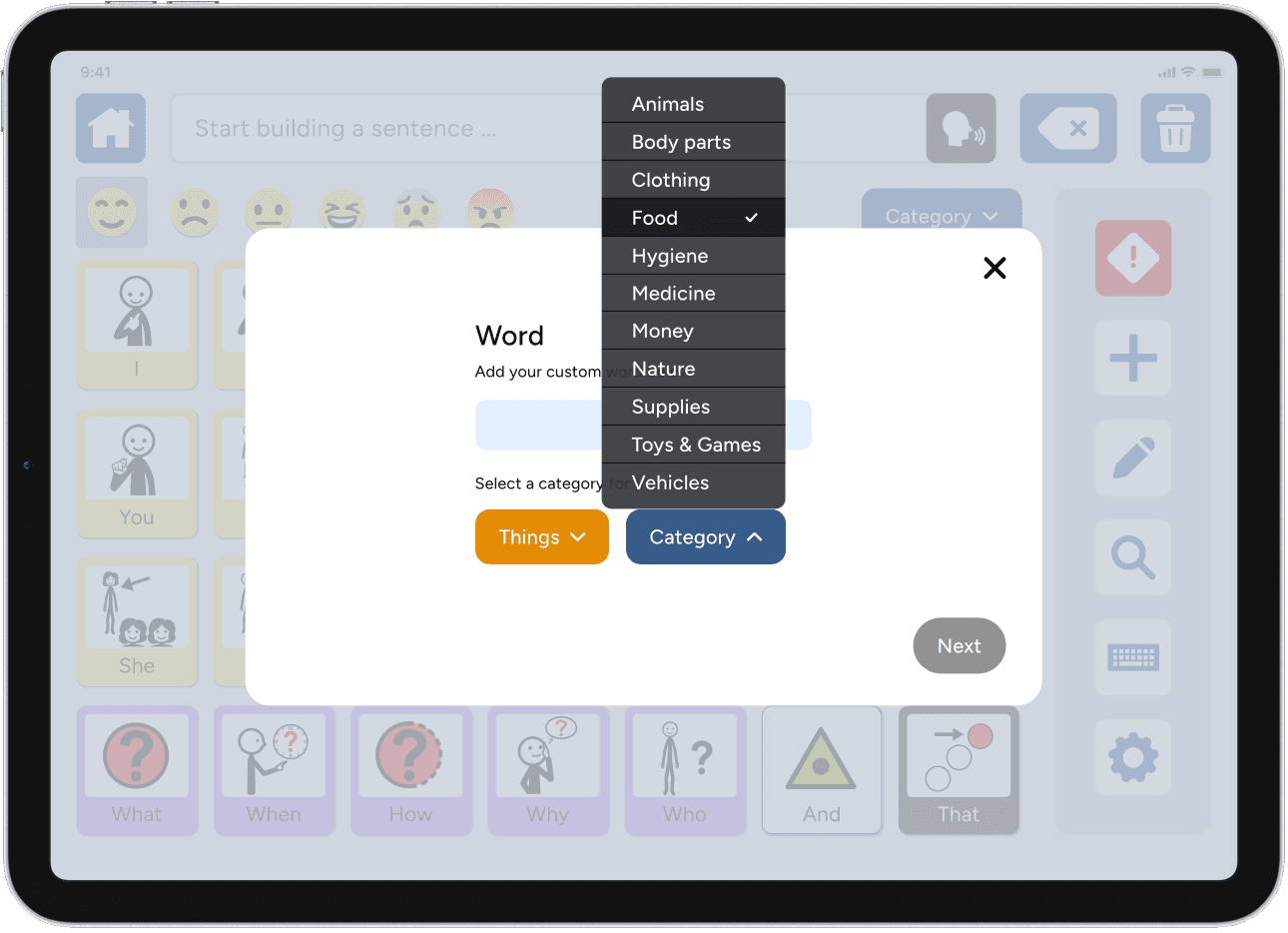
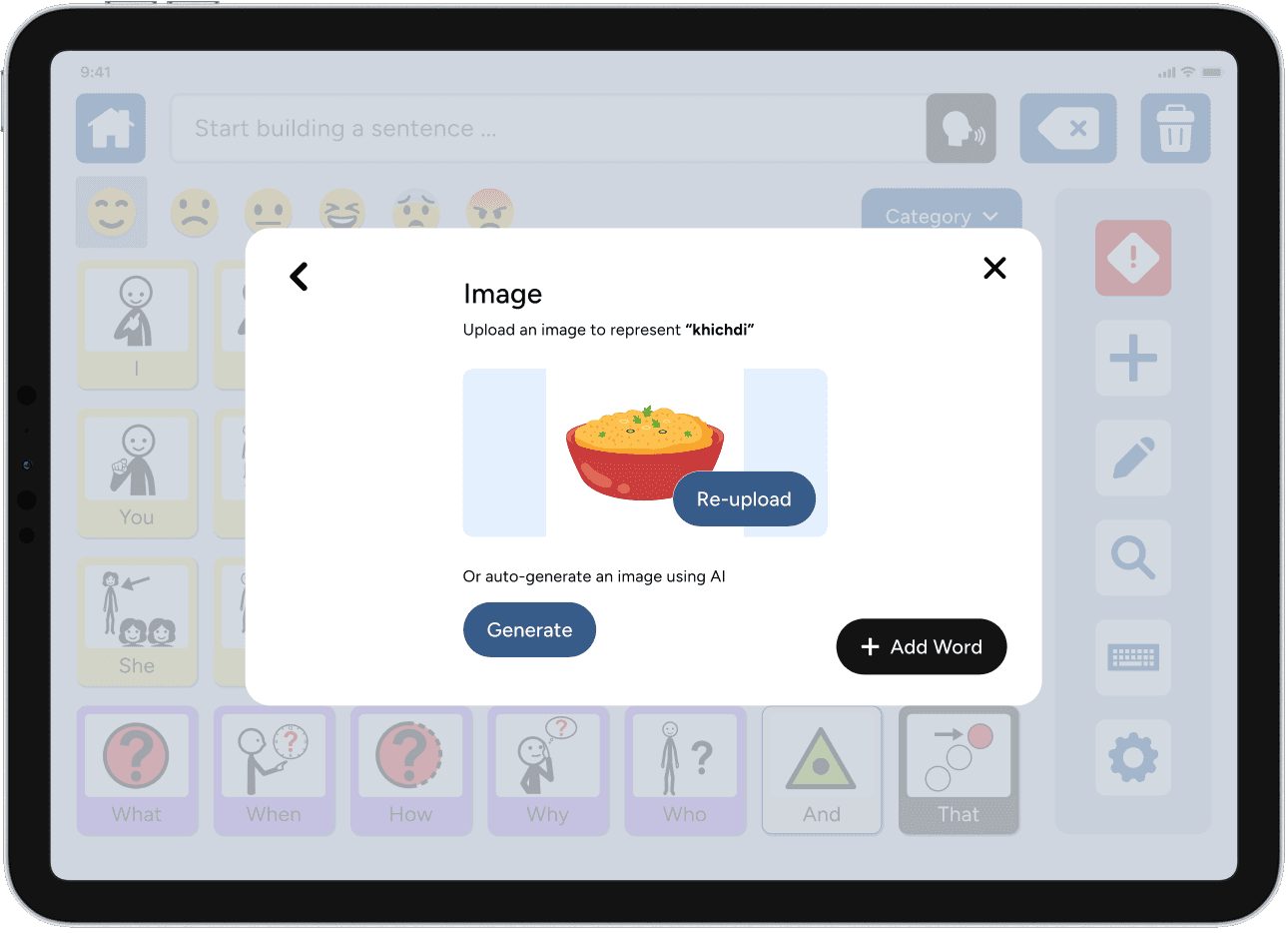
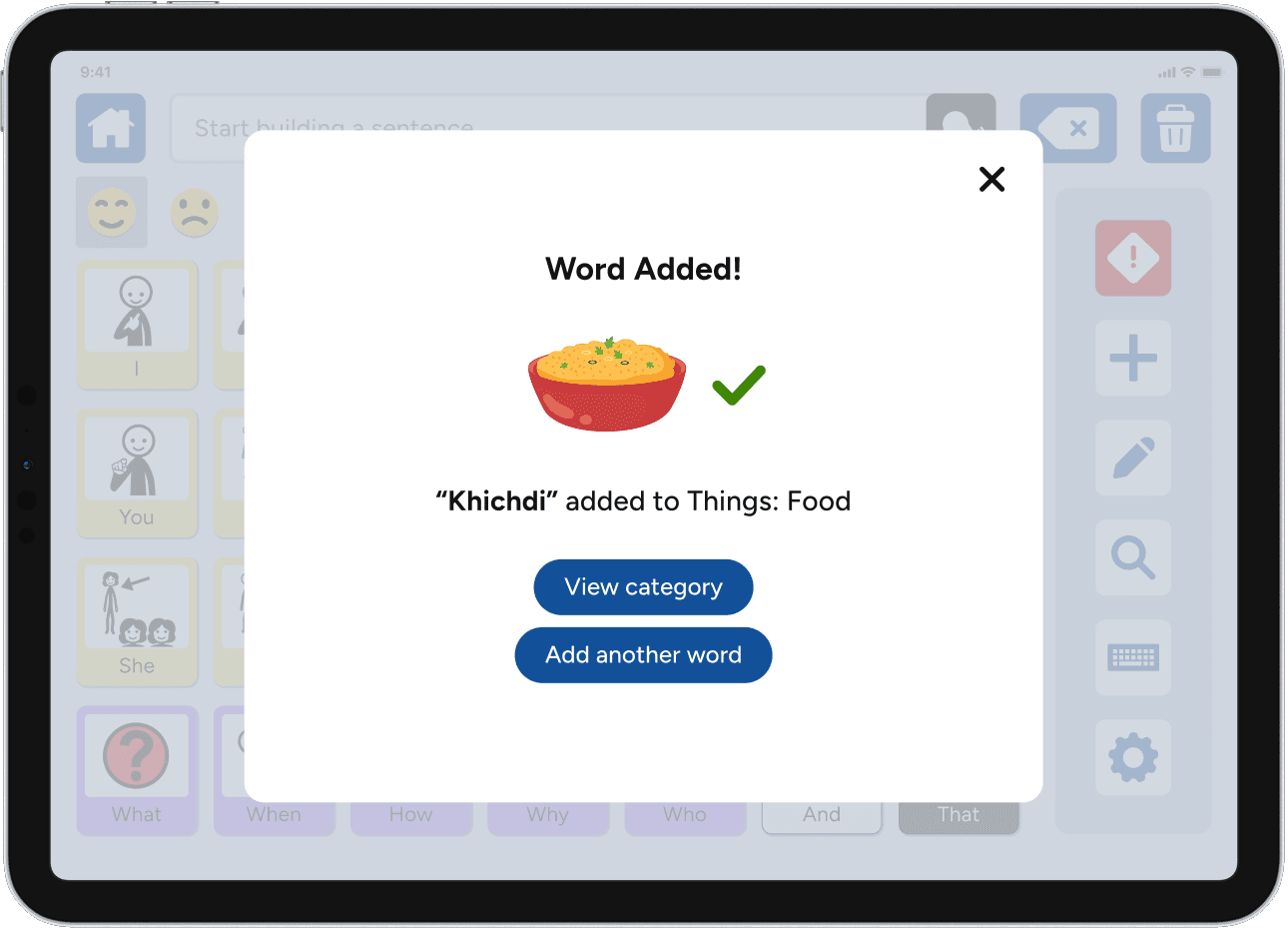
Personalized customization for users of diverse sociocultural backgrounds.
Allowing users and caregivers to personalize the vocabulary grid with icons that reflect their real life — directly addressing the generic, impersonal symbol libraries found across the market.
FEATURE #3:
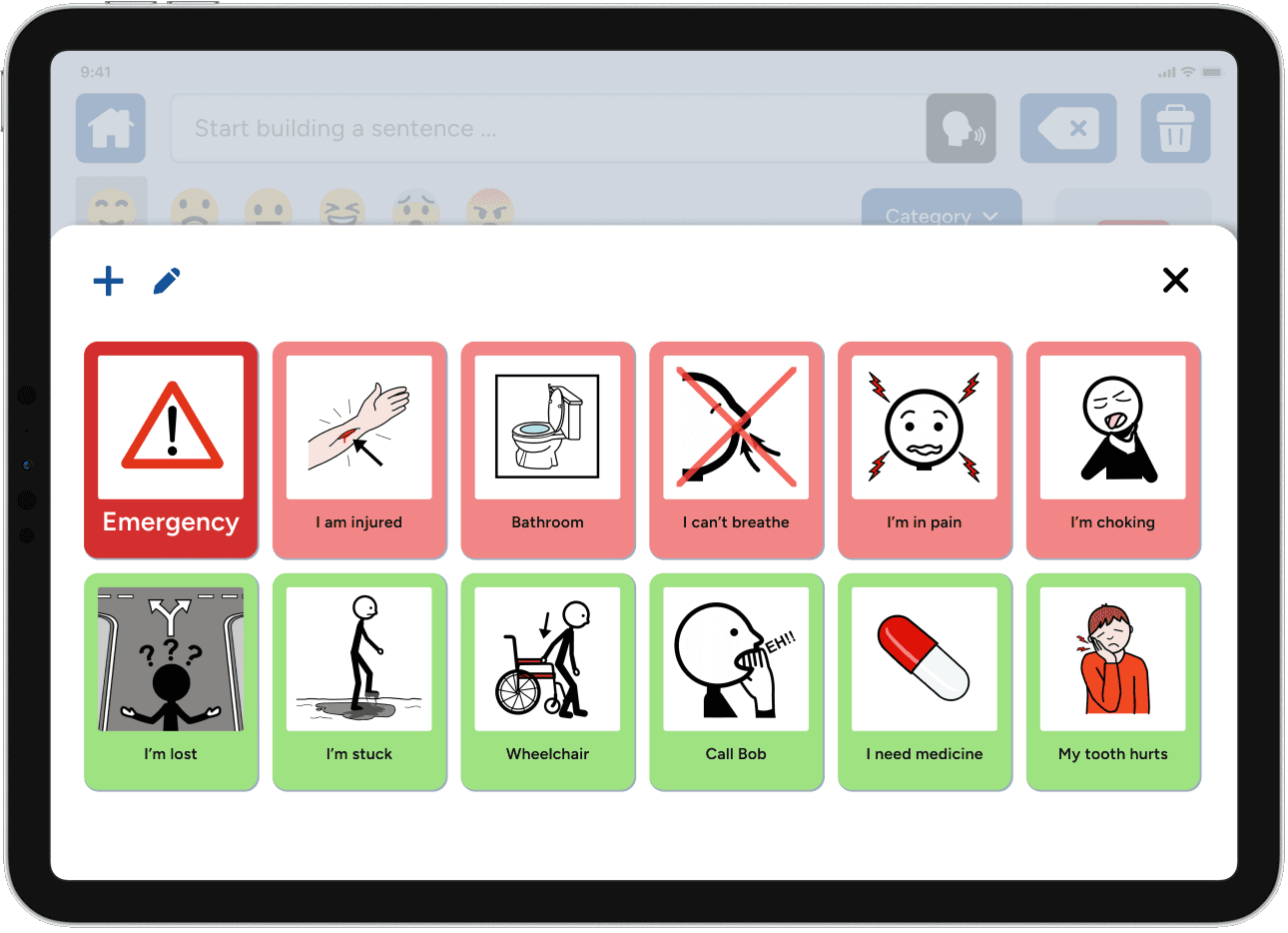
Emergency access.
Quick access to critical phrases, designed to be reachable in as few taps as possible regardless of where a user was in the app. Speed and clarity were the only priorities here.
FEATURE #4:
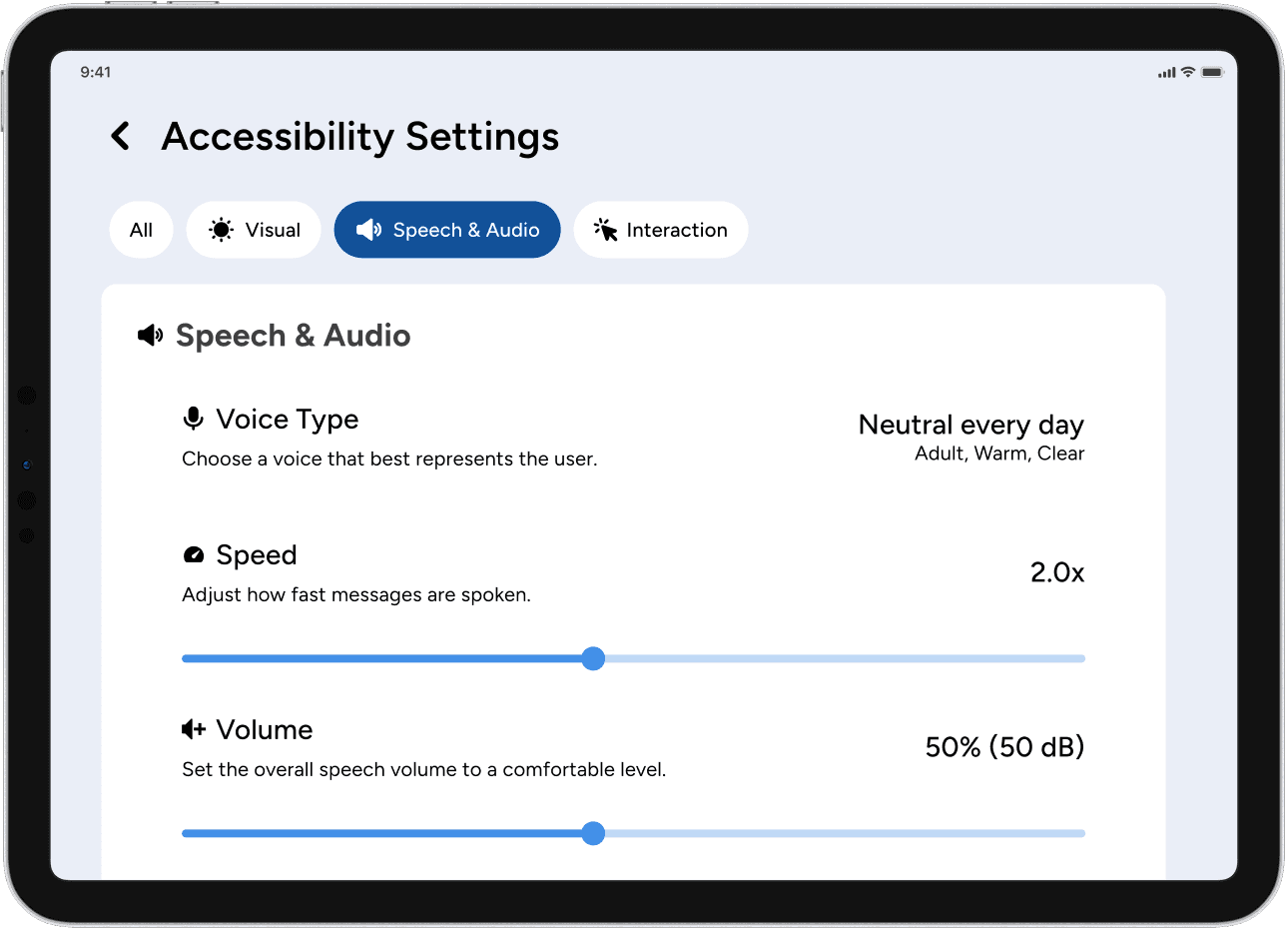
Accessibility settings.
Configurable input methods, grid sizing, and visual contrast to flex across a range of motor and sensory needs.
FUTURE DIRECTION
Where to next?
Caregiver tools Caregivers are essential partners in AAC use. Designing profile management, vocabulary editing, usage analytics, and library sharing would be my immediate next priority — a well-supported caregiver directly expands what the primary user can do.
Onboarding & tutorial Introducing a new AAC tool to a nonverbal child requires extraordinary care. A guided, low-pressure onboarding flow is one of the highest-impact areas for adoption — and one we never got to build.
Usability testing Even one round of structured observation with real AAC users and caregivers would sharpen every decision made so far.
REFLECTION
A lesson about ambiguity, leadership, & seeing communication through new eyes.
Designing without ideal conditions - Real-world projects rarely come with perfect research access. Without user data, I learned to be resourceful and deliberate — and realized how critical even one round of direct user testing truly is.
Leading without authority - Redirecting a team mid-project without a formal title taught me as much about ownership and communication as any design skill.
Rethinking language from the ground up - Designing an AAC dashboard forced me to break down something most people never think about — verbal language. How do you compress thousands of words into a two-tap system? How do you represent tone through a button? Thinking through language as a barrier completely changed how I approach accessibility.